
Single-Family Rentals
Screen every home thoroughly. Keep every vacancy moving.
For a single-family rental, one vacant home means the entire asset is at stake. ISS helps your team move applications through screening, verification, QA review, criteria-based ScoreCard results, secure applicant communication, and e-leasing — with experienced support when something needs attention.
38 homes6 open
| Property address | Applicant | AppApplication | PaidPayment | CheckBackground |
|---|---|---|---|---|
| 1772 Pinewood DrUnit 4Payment captured | Morgan R. | Application complete | Payment complete | Background in progress |
| 6607 Maple CtUnit 6 | Jordan A. | Application complete | Payment complete | Background complete |
| 424 Brookside PlBackground check processing | Taylor M. | Application complete | Payment not started | Background in progress |
| 2900 Cedar LnUnit 2 | Casey G. | Application complete | Payment complete | Background complete |
What you get
No leasing office. Same standard required.
The parts of the workflow that usually assume somebody is sitting at a front desk are the parts ISS configures differently here.
Keep vacancies moving
Move applications forward so homes spend less time vacant.
Apply criteria consistently
Use the same scoring and standards across every home.
Verify beyond the basic report
We follow up and document what matters to your decision.
Get human follow-up
Experienced support when exceptions need attention.
Applications that travel
Deploy the rental application from a website link, by email, or from an online ad — no leasing office required, and it completes on any device.
Portfolio or property criteria
Run the portfolio default on most homes and a property-specific set where a market or an owner genuinely differs.
The scattered-site problem
When one home is empty, there are no other units to absorb the vacancy.
See the ISS Workflow- 01
- Every delay matters
- A stalled application can leave the entire property producing no rent.
- 02
- Homes are spread across markets
- Different locations and teams can create inconsistent processes.
- 03
- Verification takes follow-up
- Income documents, employment information, and landlord references do not always arrive ready.
- 04
- Owners expect clear answers
- Every team needs organized results and a documented process it can explain.
ISS Bridge
Specialized tenant screening — without leaving your property-management workflow.
Keep using the system your team already works in while ISS handles screening, verifications, QA review, and ScoreCard results. The extension opens beside the application you are already looking at.
Applicant information
Full name
Sample applicant
applicant@example.com
Move-in date
Requested date
Property
Sample property, Unit 4
ISS Bridge
Applicant details ready
Authorization on file
Property criteria selected
Send to ISS
Open the application
Work in the property-management system your team already uses, exactly as usual.
Open ISS Bridge
Launch the extension from the application you are already looking at.
Send authorized data securely
Applicant details and your property criteria are sent across with the applicant's authorization on file.
ISS screening, verifications, and QA
We verify, follow up, and apply your criteria with QA oversight.
ScoreCard results and reports delivered
Reports and ScoreCard results return to the system your team works in.
No duplicate entry
Data flows once — no retyping.
Keep your own application
Your team stays in the system it knows.
Human follow-up when needed
We follow up and document what matters.
Reports organized for delivery
Clear, ready-to-share reports and documents.
Your software manages the property. ISS Bridge connects the screening expertise.
ISS specializes in tenant screening, verification, QA review, criteria-based ScoreCard recommendations, and applicant report delivery.
ISS Bridge can be configured for supported browser-based property-management systems. Availability and the documents returned depend on your configuration.
One standard
One standard across scattered homes — with flexibility where the process needs it.
Most homes run the portfolio default. Where a market or an owner genuinely needs something else, that is a configured exception rather than a habit somebody picked up — and it is visible as one.
| Property | Market | Application | Screening package | Rental criteria | Application fee |
|---|---|---|---|---|---|
| 764 Oakridge Dr | Raleigh, NC | Standard SFR application | Standard screening package | Portfolio criteria (default) | Fee captured |
| 2314 Meadow Ln | Phoenix, AZ | Custom property application | Enhanced screening package | Property-specific criteriaConfigured exception | Fee captured |
| 908 Riverbend Ct | Nashville, TN | Standard SFR application | Standard screening package | Portfolio criteria (default) | No fee configured |
| 112 Birchwood Pl | Denver, CO | Standard SFR application | Enhanced screening package | Portfolio criteria (default) | Fee captured |
Standardize the process across your portfolio while configuring applications, documents, packages, and criteria where it is genuinely appropriate. A mockup with sample properties.
How it runs
From application to decision-ready — without leaving the hard parts to your leasing team.
Final housing decisions remain with the housing provider. Every stage below is an expansion of the same 6-stage ISS workflow.
- 01Secure ApplicationCompleted online, on any device.
- 02Fee & DocumentsConfigured fees collected and documents uploaded.
- 03Screening & VerificationsCredit, records, income, and rental history.
- 04ISS Follow-UpWe follow up on income, employment, and landlord references.
- 05QA ReviewResults checked before anything reaches you.
- 06ScoreCard ProCriteria applied to produce a recommendation.
- 07Client DecisionYour team makes the final housing decision.
- 08E-LeasingApproved applicants move into lease signature.
What comes back
More than a credit check. More context for your review.
What reaches your team is a reviewed file, not a raw return. These are the three passes that happen before it gets there.
Searches run to the depth the property's configured package calls for, so a home in one market is not quietly screened more thinly than a home in another.
- Credit & FICOOrganized for consistent review against your criteria.
- National eviction historyPrior eviction records surfaced for review.
- Criminal and sex-offender searchesRun where ordered on the configured package.
- Identity searchConfirms who the applicant is before the rest of the work begins.
- Optional county criminal searchesAdded where your criteria call for source-level depth.
ScoreCard Pro
Consistent criteria. Organized results. Your team's decision.
ScoreCard Pro organizes completed screening results against the rental criteria configured for the property — the same standard whether the home came into the portfolio last year or last week.
Applicant score · Recommendation
Approve
Sample applicant · Sample property
- Income ratioPass
- CreditConditional
- Criminal recordsPass
- Eviction recordsPass
- Residential verificationReview
- Employment verificationPass
2 items require attention
Set the criteria, reasons, and reviewer instructions once. Score a single applicant, or score several together for a group recommendation on a shared household.
Decision mapping
Weight
Threshold
Time window
Weight
Threshold
Time window
Weight
Threshold
Time window
Weight
Threshold
Time window
Weight
Threshold
Time window
Weight
Threshold
Time window
Score overrides
Overrides are recorded with a reason and the reviewer's instructions, so an exception stays visible on the case rather than living in someone's inbox.
ScoreCard Pro produces a recommendation against your configured criteria. The final leasing decision, and the policy behind it, remain with the housing provider.
See reporting and decision toolsApplicant communications
Clear results for your team. Documented delivery for the applicant.
ISS can automatically deliver consumer reports, and lets your team send its customized adverse-action letter by text or email through the system. Delivery activity is timestamped for a documented history.
- On completion
Consumer report delivered
The applicant's consumer copy is delivered automatically, by email or text, to secure electronic access.
- On decision
Custom adverse-action letter
Your team sends its own customized letter through the system, with the consumer-report materials attached.
- Continuous
Delivery confirmation and audit history
What was sent, how it was sent, and when it was opened is retained as a timestamped record for the file.
Other portfolio types
Also built for the rest of your portfolio.
The same connected workflow, configured for a different set of constraints. Start from Property Management for the full picture.

Multifamily
One process, configured for every property in the portfolio.
Explore solution
Lease-Ups & New Communities
Turn early interest into an organized path to occupancy.
Explore solution
Student Housing
Keep every student, guarantor, and application connected.
Explore solution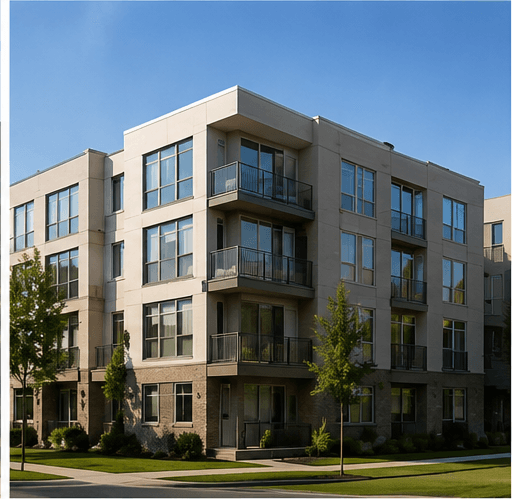
Affordable Housing
Support complex households and subsidy-aware workflows.
Explore solution
FAQs
Questions from single-family property managers.
The rental application can be deployed from a website link, sent by email, or attached to an online ad, and it works on any device. The applicant completes it wherever they found the home, and the configured fee and required documents are collected in the same pass.
Give every home a screening process your team can trust.
Screening, verification, QA review, ScoreCard results, and documented delivery — across a portfolio that has no front desk.